APP UPDATE · iPHONE 1.4.43 & 1.4.44 · OCTOBER 2026
What's new in Pocket Plan
Hi, Nathan here. Over the last few days we shipped two updates to the Pocket Plan iPhone app. They're not flashy, but they fix things you told us mattered: scenarios that are easier to read and share, bank connections that are easier to fix, and an app that's easier on the eyes. Here's what changed and why it's worth updating today.


Watch the 3-minute walkthrough
Can't watch right now? Everything is written out below.
What changed
iPHONE 1.4.44
Redesigned scenario details and sharing
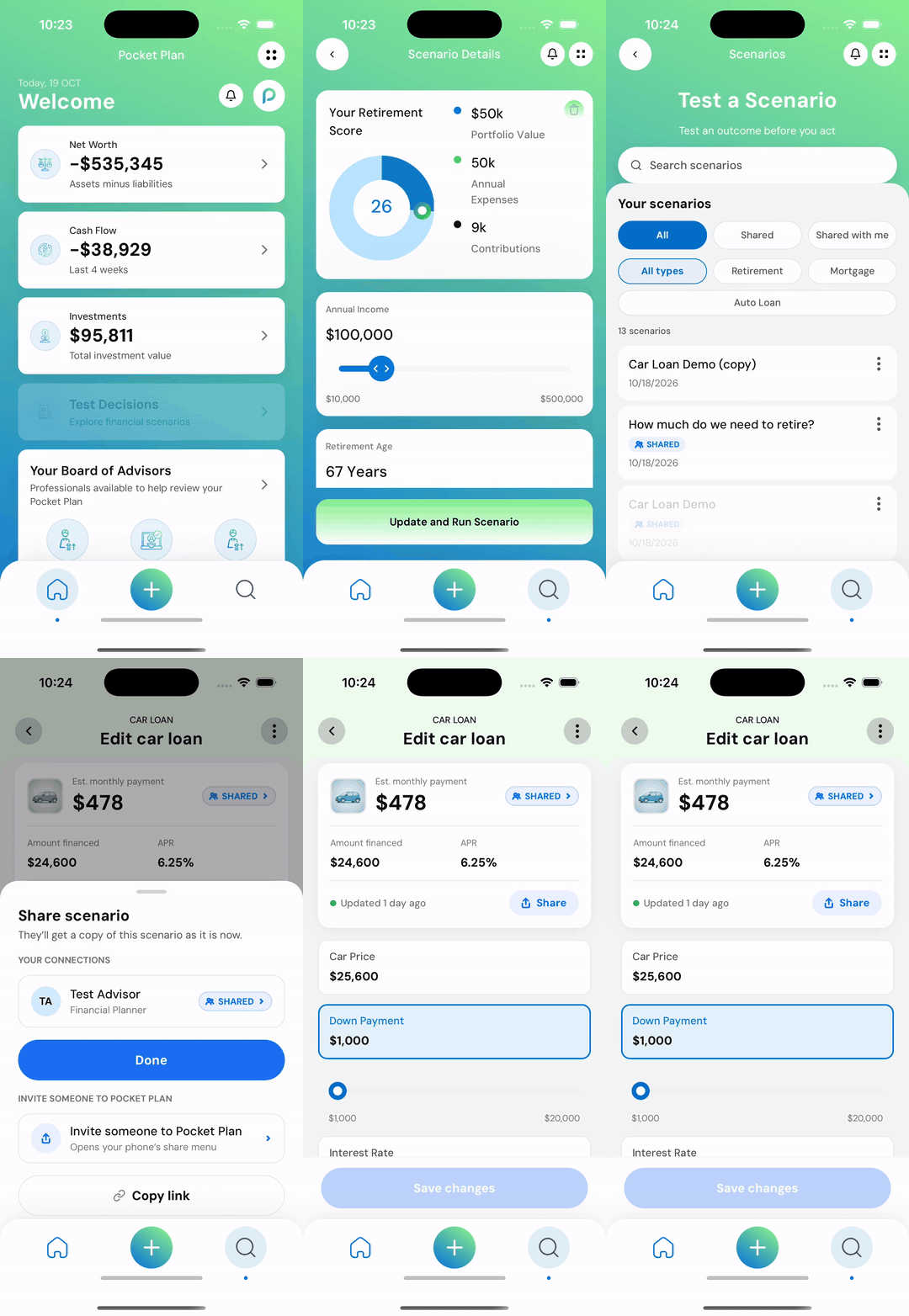
Scenarios are where you test a "what if" before you act: retiring at a different age, saving more each month, or taking on a new loan. We redesigned the scenario details screen so it's clearer what you're looking at, and rebuilt how you share a scenario. Advisors: when a client shares a scenario with you, it's easier to see what they're testing and follow up.
Where to find it: On Home, tap the Scenarios icon, then open a scenario from Your scenarios.
iPHONE 1.4.43
Smoother bank reconnection
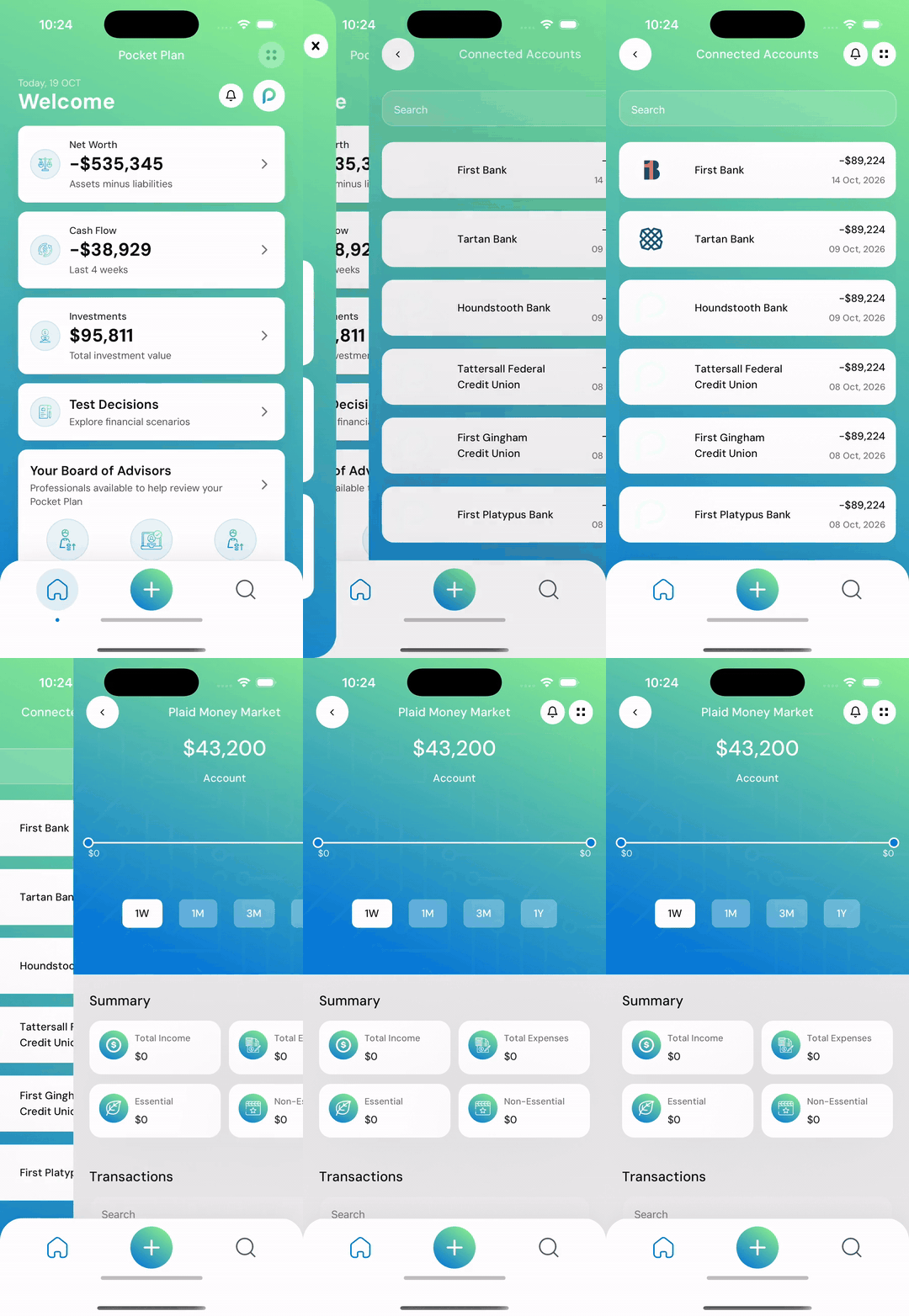
Sometimes a bank asks you to sign in again before Pocket Plan can keep updating your balances. This update improves that reconnection, so it's easier to get your accounts updating again. You sign in through Plaid, and Pocket Plan never sees or stores your bank login.
Where to find it: Tap the menu in the top right, then Accounts. If a bank needs attention, tap Update Credentials there.
iPHONE 1.4.43
Updated fonts and theme settings
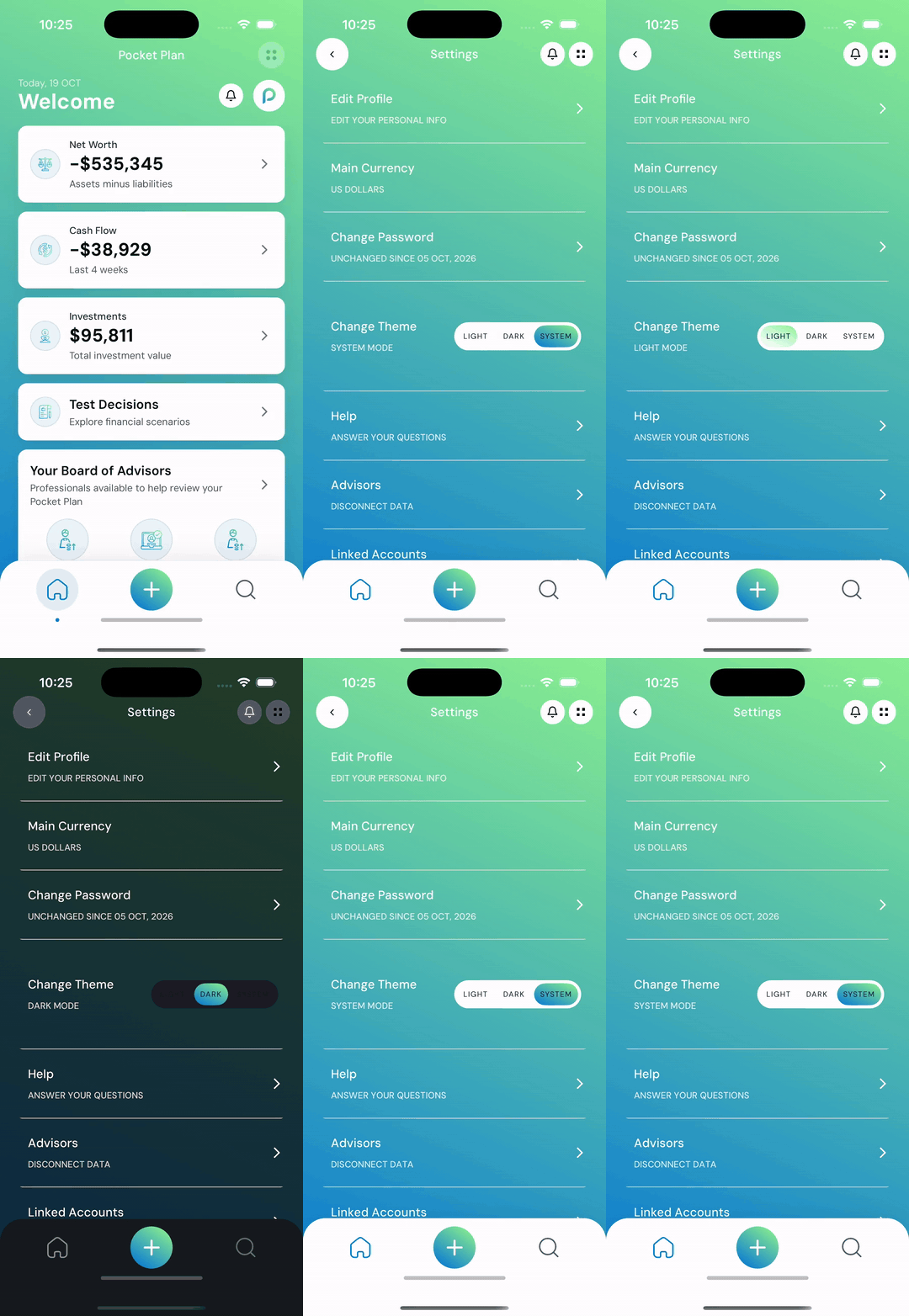
We refreshed the fonts across the app and added theme settings, so you can choose Light, Dark, or match your phone's setting (System).
Where to find it: Open Settings and tap Change Theme.
Plus the usual round of bug fixes and visual improvements in both releases.
On Android? Our Android app was also updated on Oct 17 with redesigned scenarios with clearer details, new filters in the Scenario Library, a rebuilt Net Worth summary, investment fixes, and dark mode fixes on Advisor Profile. Get the latest from Google Play.
Why update now
✓ Your numbers stay current. If a bank connection has dropped, the update makes it easier to reconnect it, and your Net Worth and Retirement Score depend on it.
✓ Scenarios are easier to share. If you work with an advisor, the redesigned sharing makes it simpler to get a second opinion on a plan.
✓ It's easier on the eyes. New fonts, plus a Light, Dark, or System theme.
✓ It's free. Updating takes a minute, and your accounts and scenarios stay right where they are.
Are you a financial advisor using Pocket Plan?
I'm planning the next few months of advisor features right now, and I'd rather build what you actually need. Grab 15 minutes with me and tell me what would make Pocket Plan more useful for your clients.
Book a 15-minute callSee more walkthroughs on YouTube
Short videos on scenarios, connecting accounts, cash flow, and working with an advisor.
Subscribe on YouTubeThanks for using Pocket Plan. Have an idea for the next update? Reply to my email or submit a support request. I read every one.
Nathan Garcia, Founder